
Personalized products, custom gifts, decorative items, and small-batch merchandise have become popular in both creative hobbies and small businesses. eufyMake is a creative technology brand focused on making digital printing more accessible to individual creators, home studios, and entrepreneurs. Its product range centers on UV printing technology, with tools designed to print colorful designs and textured effects onto a variety of materials.
This eufyMake review explores the brand’s products, the E1 UV printer, printing technology, compatible materials, software, and practical considerations for customers in the United States.
What Is eufyMake?
eufyMake is a creative tools brand from Anker, developed around personal printing and maker-focused technology. Its goal is to help users turn digital designs into physical products through a more integrated workflow involving hardware, software, and printing materials.
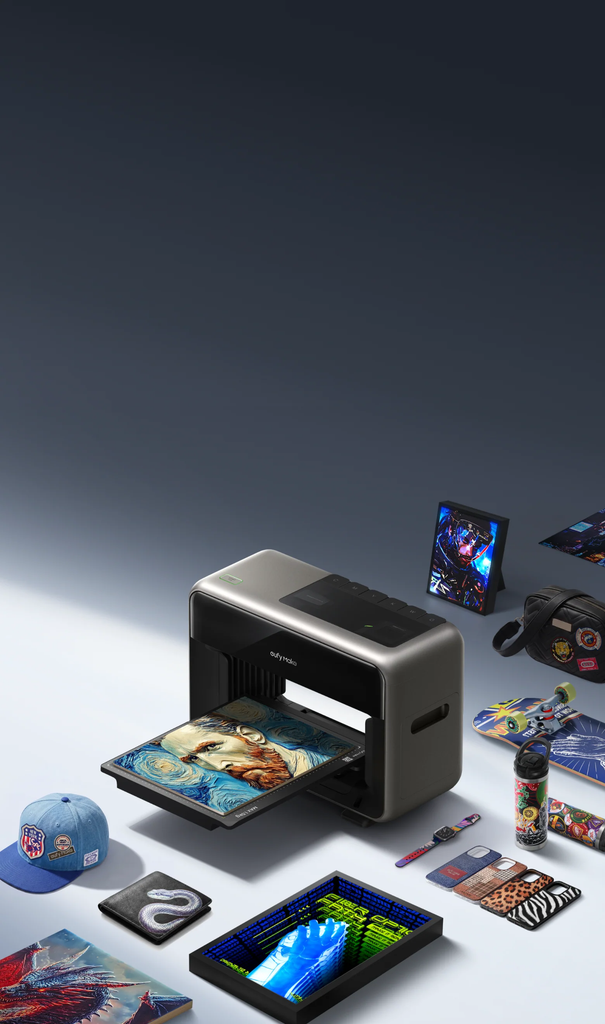
Unlike conventional home printers designed primarily for paper, eufyMake focuses on direct-to-object UV printing. This approach allows users to apply designs to different surfaces, including wood, metal, acrylic, glass, ceramics, leather, and selected fabrics.
The brand’s products are intended for a range of applications, from personal DIY projects and customized gifts to product decoration and small-scale commercial production.
Its website combines product information, accessories, printing materials, software resources, and creative inspiration, giving users a place to explore the overall printing workflow.
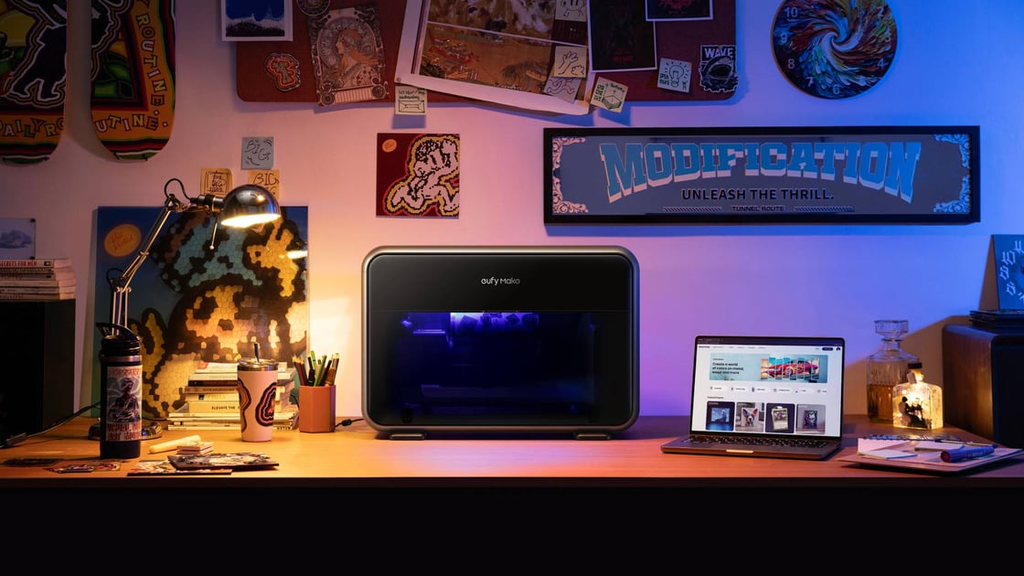
eufyMake E1: Personal 3D-Texture UV Printer
The eufyMake E1 is the central product in the brand’s current UV printing lineup. It is designed as a desktop UV printer that combines full-color printing with raised texture effects.
Traditional flat printing applies color to a surface, while the E1 uses multiple ink layers to create physical texture. According to the product specifications, its 3D texture printing can reach heights of up to 5 mm.
This feature makes it possible to create designs that imitate raised brushstrokes, embossed lettering, decorative patterns, and textured artwork.
The E1 also supports printing resolutions of up to 1440 DPI, which is intended to provide detailed image reproduction. Its ColorMaestro technology is designed to support color output, while Amass3D technology handles textured printing effects.
For people producing customized merchandise, these capabilities may offer more creative options than standard flat printing.
Printing on Different Materials
Material compatibility is one of the main features highlighted by eufyMake. The E1 is designed to print directly onto more than 300 types of materials, depending on their surface characteristics and printing requirements.
Examples include:
- Wood: Personalized signs, decorative pieces, ornaments, and custom gifts.
- Metal: Customized plates, promotional items, and decorative accessories.
- Acrylic: Personalized displays, nameplates, and decorative products.
- Ceramics: Customized coasters, tiles, and selected gift items.
- Glass: Decorative designs and personalized glass objects.
- Leather: Textured accessories and customized covers.
- Canvas and fabric: Selected creative projects using compatible ink configurations.
Material compatibility does not mean that every object can be printed without preparation. Surface shape, thickness, coating, material flexibility, and positioning can all affect the printing process.
Users should check the recommended material specifications and test unfamiliar surfaces before beginning larger production runs.
Different Printing Modes and Accessories
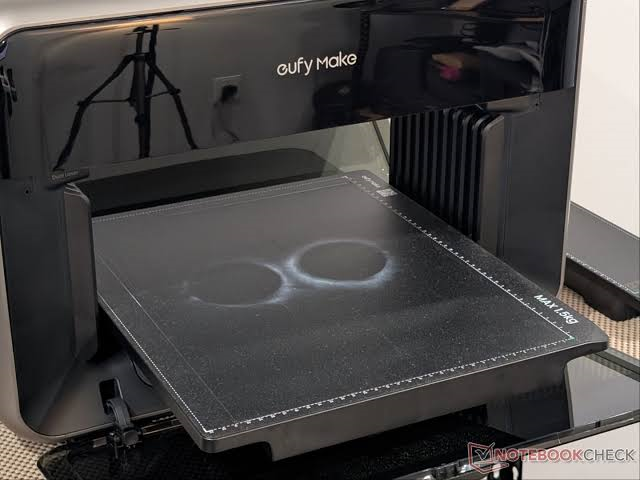
The E1 is designed as a modular printing system rather than a single-purpose flatbed machine. Depending on the selected configuration, users can add accessories for different types of projects.
Flatbed printing is suitable for relatively flat objects and materials. It can be used for customized panels, small signs, coasters, decorative pieces, and other flat products.
Rotary printing allows users to work with cylindrical and selected curved objects, such as mugs and tumblers. This expands the range of products that can be personalized beyond flat surfaces.
UV DTF printing uses a transfer-film workflow. With compatible equipment and materials, users can create designs on film and transfer them to suitable objects.
Roll-to-film printing is intended for longer-format film projects, including sticker batches, signs, and other decorative applications. Availability and compatibility should be checked because some accessories may have separate release schedules or software requirements.
These options make the system more flexible, although additional attachments increase the overall investment and require extra workspace.
eufyMake Software and AI Design Tools
Hardware is only one part of a digital printing workflow. Users also need software to prepare artwork, position designs, and configure print settings.
eufyMake provides its Make It Real app and eufyMake Studio as part of its creative ecosystem. The software environment is designed to help users move from an initial design idea to a finished printed object.
The platform highlights a library of more than 20,000 templates and creative resources. Users can explore existing designs or upload their own artwork, depending on the available software features and usage conditions.
AI-assisted tools are another part of the platform. Features promoted by the brand include background removal, style transfer, and 3D-texture generation. These functions may help users prepare artwork without relying entirely on professional graphic design software.
For beginners, ready-made templates can reduce the time needed to create a first project. More experienced users may prefer uploading original designs and adjusting the printing parameters themselves.
Some software resources and advanced features may require an account, subscription, or specific plan. Users should review the current software terms before relying on any paid or premium functions.
Who Can Benefit from eufyMake?
The eufyMake product range may appeal to several groups.
- DIY enthusiasts: People interested in customizing household objects, accessories, decorations, and personal gifts.
- Artists and designers: Creators who want to experiment with raised textures, colorful printing, and alternative surfaces.
- Small business owners: Entrepreneurs producing personalized merchandise, promotional products, or customized gifts.
- Makers and hobbyists: Users who already work with tools such as laser engravers or 3D printers and want to explore UV printing.
- Creative studios: Small production environments looking for a desktop-oriented printing system.
The E1 may be particularly interesting for users who want to combine color printing with tactile effects. However, it is a specialized piece of equipment rather than a general-purpose printer, so its value depends heavily on the types of projects being produced.
Pricing, Bundles, and Additional Costs
The eufyMake E1 is a premium desktop printing product, and its total cost depends on the selected bundle and accessories.
The basic package generally focuses on the printer and essential ink supplies, while larger bundles may include additional equipment such as rotary printing attachments and laminating accessories.
Beyond the initial machine purchase, users should consider ongoing operating costs. These may include:
- UV ink cartridges and replacement supplies
- Compatible printing materials
- Cleaning and maintenance products
- Additional attachments
- Software subscriptions or premium features
- Workspace preparation and ventilation equipment
The actual cost of producing an item depends on its size, ink coverage, material, texture depth, and production settings. Small personalized products may have different material and ink requirements from larger decorative pieces.
Prices, bundle contents, and promotions can change. Customers in the United States should check the current product page for the latest availability and checkout terms.
Maintenance, Safety, and Workspace Requirements
UV printing equipment requires more consideration than a typical home printer. Users should understand the manufacturer’s operating instructions, maintenance requirements, and recommended workspace conditions before installation.
The E1 includes a JetClean self-cleaning system designed to help manage printhead maintenance. However, an automated cleaning feature does not eliminate the need for routine care or following the recommended maintenance schedule.
Ventilation is also worth considering. UV printing inks and the printing process may produce odors or emissions, so users should follow the manufacturer’s guidance on ventilation, filtration, and protective equipment. The brand offers separate air-filtration accessories for certain workspace configurations.
The printer’s enclosure and UV protection features should also be used as instructed. Users should not bypass safety mechanisms or expose themselves to direct UV light.
For a home studio, it is sensible to plan the machine’s placement, power requirements, workspace dimensions, and maintenance access before purchasing.
Shopping on the eufyMake US Website
The eufyMake website allows customers to browse printers, accessories, ink cartridges, cleaning supplies, and printing materials. Product pages provide technical specifications, bundle details, and information about compatible equipment.
For first-time buyers, starting with the E1’s basic configuration may help establish which accessories are actually needed. Users who already know they will print cylindrical objects or produce transfer-film designs may want to compare the available bundles.
Before placing an order, review the current shipping policy, return conditions, warranty coverage, and product-specific support information. The E1 product page lists a 30-day return period, while warranty coverage differs between the main machine and the printhead.
Customers can find additional details through the eufyMake online store, the E1 product page, and the eufyMake Support Center.
Final Thoughts on eufyMake
eufyMake focuses on making UV printing and personalized product creation more accessible through a combination of desktop hardware, software, and compatible materials. Its E1 printer stands out for combining full-color printing with raised 3D texture effects, while its modular accessories expand the range of possible projects.
For US customers, the brand may be worth exploring if they are interested in customized gifts, decorative products, creative hobbies, or small-scale merchandise production.
The main considerations are the initial equipment investment, ongoing ink and material costs, workspace requirements, and the learning process involved in UV printing. Comparing the available bundles and understanding the intended production workflow can help determine whether eufyMake is a suitable addition to a home studio or small business.